HomeCatalog⚙️ DevOps & InfrastructureDocker Engine
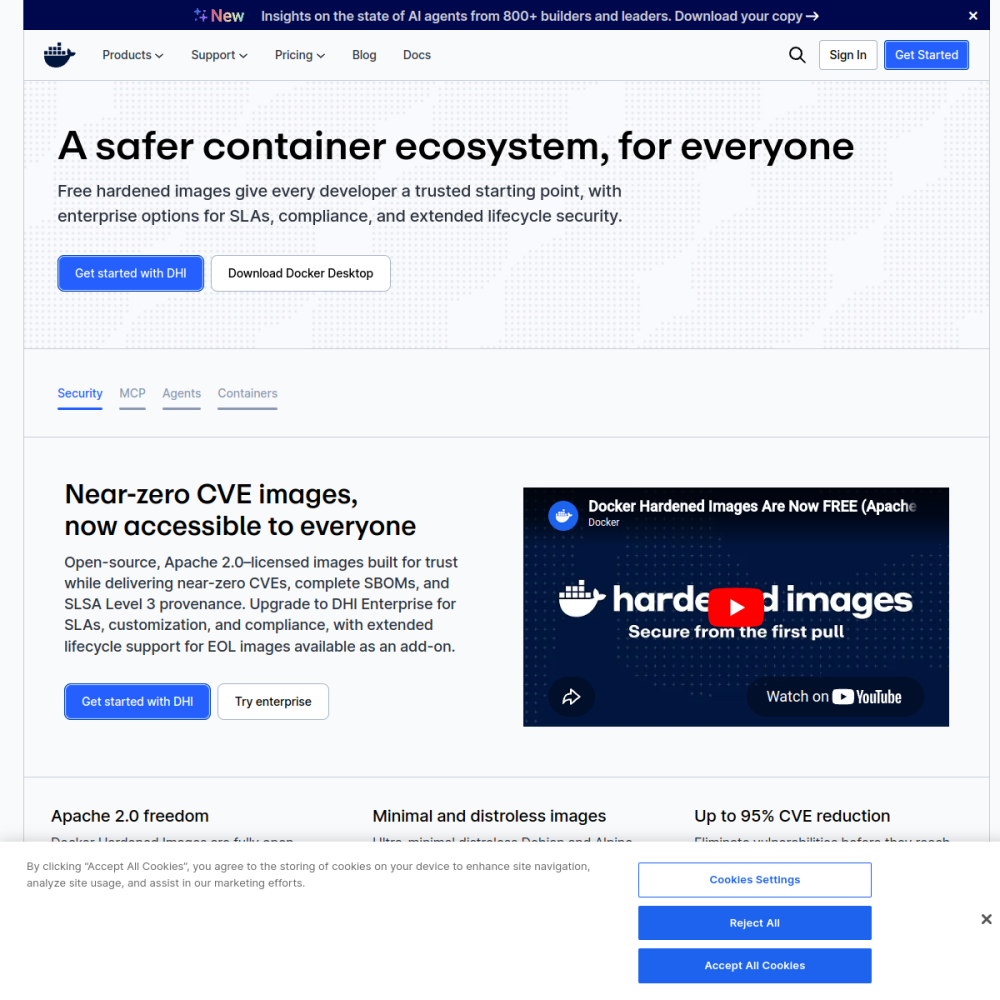
Screenshot of Docker Engine website

// screenshot of docker.com ↗

DEVOPS & INFRASTRUCTURE · FREE TIER

Docker Enginefree

Docker is the container runtime that revolutionized application packaging — bundle code + dependencies + runtime into immutable images, run anywhere. Now the OCI-standard runtime backing virtually every cloud-native deployment. The Docker Engine + CLI shipped here is the foundation for running every other app in the BluixApps catalog.

⚙️ DevOps & Infrastructure Min 512 MB RAM Port 0 (cli) Tier free
// What it is

A closer look.

Docker is the container runtime that revolutionized application packaging — bundle code + dependencies + runtime into immutable images, run anywhere. Now the OCI-standard runtime backing virtually every cloud-native deployment. The Docker Engine + CLI shipped here is the foundation for running every other app in the BluixApps catalog.

This is the underlying infrastructure, not an app to use directly — but it's what makes every other one-click install possible.

// Use cases

What it's for.

Concrete scenarios where teams pick Docker Engine over the SaaS alternative.

Application packaging

bundle apps as immutable, portable images
Multi-app hosting

run dozens of isolated apps on one VPS

Development environments

consistent dev/staging/prod parity

CI/CD foundation

build, test, deploy in containers

Service isolation

security via container boundaries

// Who it's for

Built for these teams.

If your team profile matches one of these, Docker Engine is a strong fit out of the box.

Profile A

Anyone running BluixApps

Docker is the foundation; every app needs it

Profile B

DevOps engineers

managing containerized production workloads

Profile C

Developers

wanting consistent local development environments

Profile D

Platform engineers

orchestrating services across VPS fleets

Profile E

Self-hosters

running multiple apps without conflicts

// Differentiators

Why teams pick Docker Engine.

When evaluating self-hosted options for this category, here are the dimensions on which Docker Engine consistently lands above the alternatives.

  • OCI standard — interoperable with Podman, containerd, every orchestrator
  • Massive ecosystem — Docker Hub has millions of pre-built images
  • Mature toolingdocker compose for multi-service apps
  • Apache 2.0 (Docker Engine) — open source core
  • Universal — runs on Linux, Mac, Windows uniformly
  • Battle-tested — production-deployed at every scale
// Integrations

Connects to.

The stack you'll plug Docker Engine into — services, protocols, and adjacent apps in the BluixApps catalog.

Image registries
Docker Hub, GHCR, AWS ECR, custom OCI registries
Orchestrators
Kubernetes, Docker Swarm, Nomad (Docker is the runtime)
CI/CD
GitHub Actions, GitLab CI, Jenkins all support Docker natively
Networking
bridge, host, overlay networks; Docker Compose handles cross-service DNS
Storage
bind mounts, volumes, tmpfs; volume drivers for S3, NFS
Logging
JSON file, syslog, Fluentd, Loki, journal drivers
GPU passthrough
NVIDIA Container Toolkit for ML workloads
// Adoption & deployment

Notable users & community

  • Used by literally every modern cloud-native engineering org
  • Foundation of Kubernetes ecosystem
  • Docker Inc. + CNCF jointly steward the runtime
  • Massive Stack Overflow / Reddit / GitHub community
  • Standard tool in every DevOps engineer's toolkit

What we ship

  • Docker Engine (latest stable) installed as the host's container runtime
  • Docker Compose v2 for orchestrating multi-service apps
  • Default bridge network configured
  • Daemon socket protected (local-only)
  • Disk quota recommendations in install report
  • Required runtime for every other BluixApps catalog entry
  • No backup needed (stateless runtime; data lives in volumes per-app)
// Tips & operations

Run it properly.

Operational guidance from running this in production — what to do before you scale, what to lock down, what surprises people.

// PERFORMANCE
Use Docker Compose for multi-service
orchestrate dependencies in one file
// SECURITY
Limit container resources
--memory + --cpus flags prevent runaway containers
// OPERATIONS
Mount volumes for persistent data
container writes are lost on restart unless on a volume
// RELIABILITY
Pin image tags
:latest is unstable; pin to specific versions for reproducibility
// DEPLOYMENT
Cleanup regularly
docker system prune to reclaim disk; unused images / volumes accumulate
// SCALING
Secure the daemon
Docker socket = root access; never expose over network without TLS auth
512
// min ram (MB)
5
// min disk (GB)
0
// access port
cli
// protocol
free
// bluixapps tier
see install script
// docker image

Project resources

Official sitedocker.com ↗
// Alternatives in DevOps & Infrastructure

Compare with