CatalogStacksModulesSaaSMobileLabs → Become a partner
Home›Catalog›✅ Productivity›Joplin Server
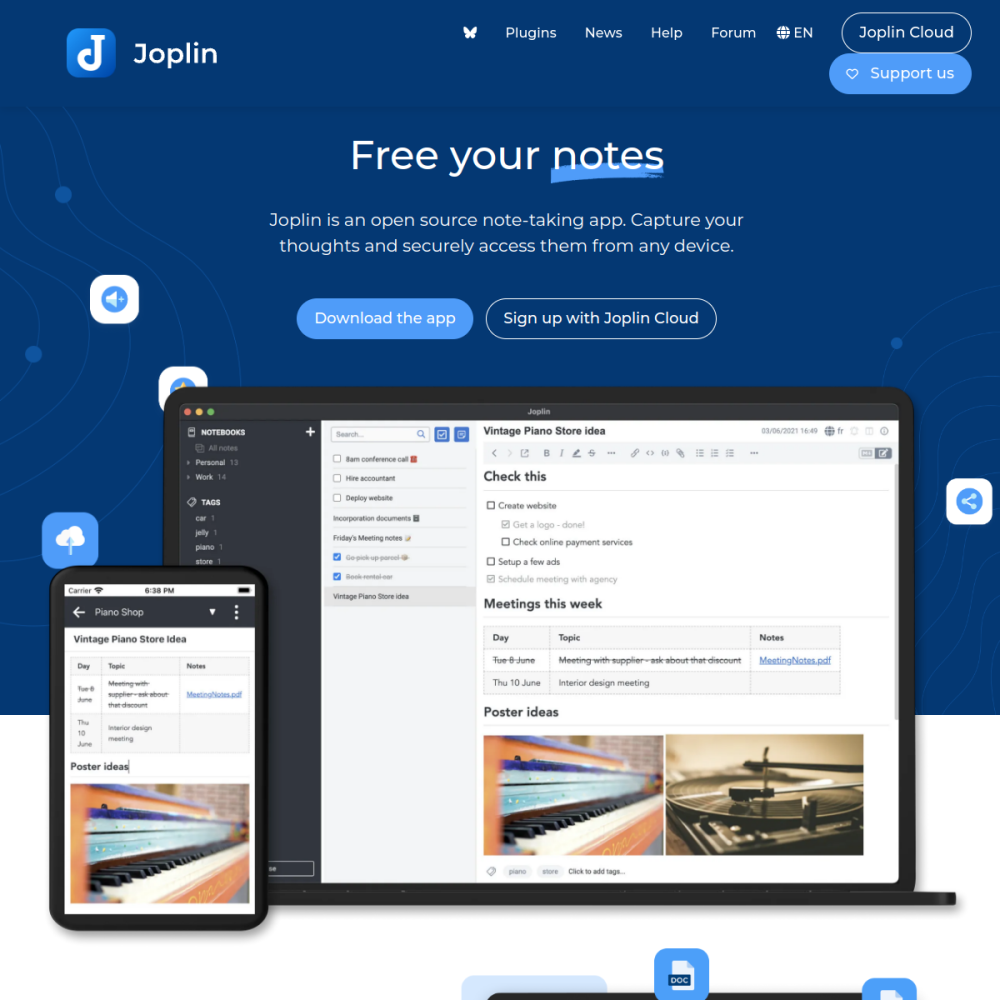
Screenshot of Joplin Server

// official site: joplinapp.org ↗

PRODUCTIVITY · PRO TIER

Joplin Serverpro

Joplin is an open-source note-taking app with end-to-end encryption, multi-device sync, Markdown support, plugin ecosystem. Joplin Server is the self-hosted sync backend for Joplin's desktop + mobile clients. Direct alternative to Evernote / Notion with privacy guarantees.

✅ Productivity Min 512 MB RAM Port 22300 (http) Tier pro
// What it is

A closer look.

Joplin is an open-source note-taking app with end-to-end encryption, multi-device sync, Markdown support, plugin ecosystem. Joplin Server is the self-hosted sync backend for Joplin's desktop + mobile clients. Direct alternative to Evernote / Notion with privacy guarantees.

For note-takers who refuse to put their thoughts on Evernote's servers, Joplin self-hosted is the answer.

// Use cases

What it's for.

Concrete scenarios where teams pick Joplin Server over the SaaS alternative.

◆

Personal note-taking

Markdown notes synced across devices
◈

Research / writing

long-form notes with attachments

◇

Encrypted notes

E2EE for sensitive content

▣

Multi-device sync

desktop + mobile + tablet

▦

Web clipper

browser extension to save articles

// Who it's for

Built for these teams.

If your team profile matches one of these, Joplin Server is a strong fit out of the box.

Profile A

Knowledge workers

managing notes across devices

Profile B

Privacy-conscious individuals

rejecting Evernote / Notion

Profile C

Researchers / students

organizing reading + notes

Profile D

Writers

drafting in Markdown across devices

Profile E

Self-hosters

running personal infrastructure for productivity

// Differentiators

Why teams pick Joplin Server.

When evaluating self-hosted options for this category, here are the dimensions on which Joplin Server consistently lands above the alternatives.

  • ✓AGPLv3 — fully open
  • ✓E2E encryption — true E2EE, not just TLS
  • ✓Multi-platform — Windows, macOS, Linux, iOS, Android
  • ✓Markdown-native — notes are portable text files
  • ✓Plugin ecosystem — extend with custom features
  • ✓Active development — Joplin Cloud sustains development
// Integrations

Connects to.

The stack you'll plug Joplin Server into — services, protocols, and adjacent apps in the BluixApps catalog.

◇
Joplin clients
desktop (Win/Mac/Linux) + mobile (iOS/Android)
◈
Web clipper
browser extension for article saving
◆
Sync backends
Joplin Server, Joplin Cloud, Nextcloud, WebDAV, Dropbox, OneDrive
▣
Authentication
local users on Joplin Server
▦
API
Joplin Data API for programmatic access
▩
Plugins
official + community plugin marketplace
▼
Export formats
Markdown, HTML, PDF
// Adoption & deployment

Notable users & community

  • 47k+ GitHub stars (Joplin app) — top of OSS note-taking category
  • Strong community on r/joplinapp
  • Backed by Joplin Cloud with sustainable model
  • Featured in Evernote-alternative roundups
  • Frequent releases

What we ship

  • Docker compose: Joplin Server + Postgres
  • Pinned joplin/server:3 (release-tagged)
  • HTTPS via Let's Encrypt
  • Admin user via env config (admin@example.com / password)
  • Persistent Postgres for sync state
  • Client setup documented in install report
  • Backup hook covers Postgres
// Tips & operations

Run it properly.

Operational guidance from running this in production — what to lock down, what surprises people.

// PERFORMANCE
Joplin Server is sync only
not a web UI; use clients to access notes
// SECURITY
Persistent Postgres
sync state lives here
// OPERATIONS
Encryption keys client-side
server doesn't have encryption keys
// RELIABILITY
Backup is critical
your notes ARE the data
// DEPLOYMENT
Mobile sync
limit attachment size; large videos kill mobile sync
// SCALING
Plugin discipline
community plugins vary in quality
512
// min ram (MB)
5
// min disk (GB)
22300
// access port
http
// protocol
pro
// bluixapps tier

Project resources

Official sitejoplinapp.org ↗
↑