HomeCatalog📝 Productivity & BusinessKanboard
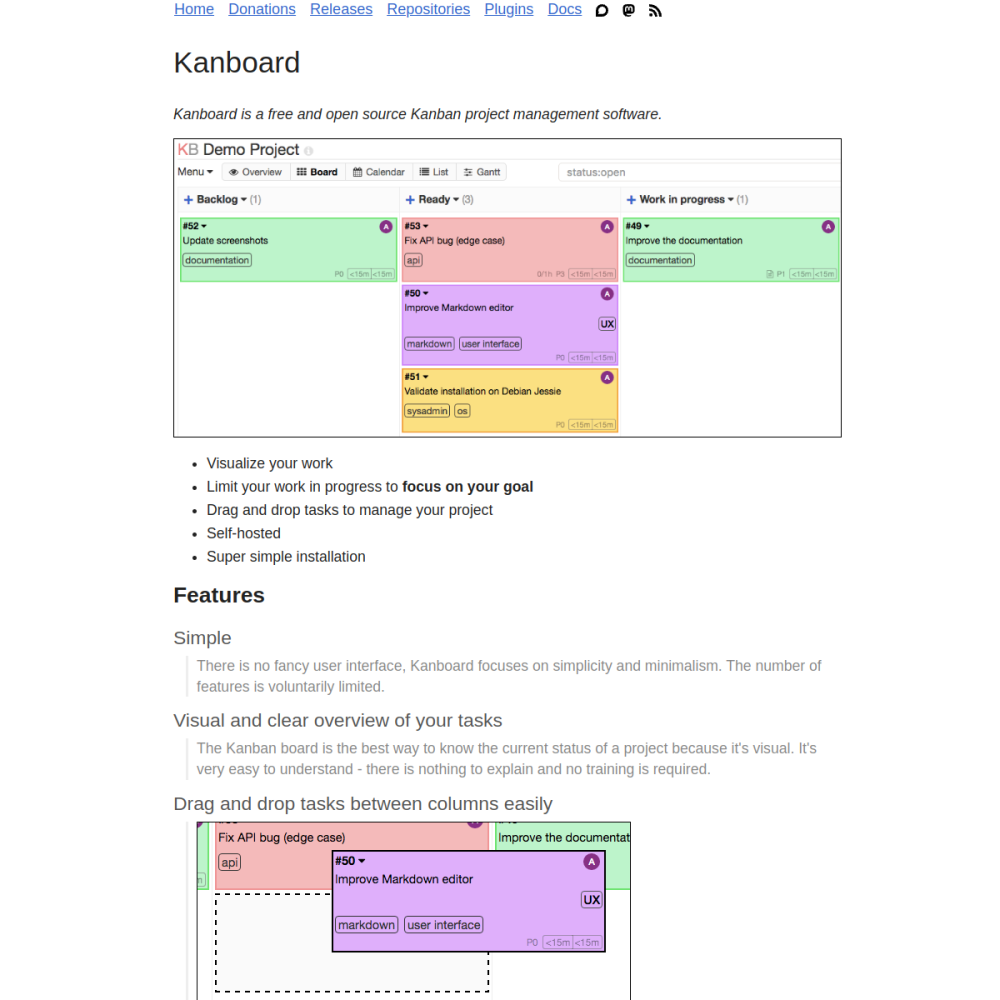
Screenshot of Kanboard website

// screenshot of kanboard.org ↗

PRODUCTIVITY & BUSINESS · PRO TIER

Kanboardpro

Kanboard is a minimalist self-hosted Kanban project management tool — boards, columns, swimlanes, drag-and-drop tasks. PHP-based, SQLite / MySQL / Postgres backend, no frontend framework bloat. Designed for teams who want Trello's simplicity without Atlassian's complexity.

📝 Productivity & Business Min 256 MB RAM Port 8080 (http) Tier pro
// What it is

A closer look.

Kanboard is a minimalist self-hosted Kanban project management tool — boards, columns, swimlanes, drag-and-drop tasks. PHP-based, SQLite / MySQL / Postgres backend, no frontend framework bloat. Designed for teams who want Trello's simplicity without Atlassian's complexity.

For developers and small teams who reject Jira's enterprise weight, Kanboard is the leanest practical kanban tool.

// Use cases

What it's for.

Concrete scenarios where teams pick Kanboard over the SaaS alternative.

Kanban project boards

visualize work in columns
Personal task management

single-user productivity

Small team coordination

2-10 person agile boards

Simple bug tracking

issue management without overhead

Project planning

milestones, due dates, dependencies

// Who it's for

Built for these teams.

If your team profile matches one of these, Kanboard is a strong fit out of the box.

Profile A

Small dev teams

rejecting Jira's complexity

Profile B

Solo developers

managing personal projects

Profile C

Indie founders

tracking startup tasks

Profile D

Educational orgs

running student projects

Profile E

OSS maintainers

managing community contributions

// Differentiators

Why teams pick Kanboard.

When evaluating self-hosted options for this category, here are the dimensions on which Kanboard consistently lands above the alternatives.

  • MIT license — fully open
  • Minimal footprint — runs on $3/mo VPS
  • No JS framework — server-rendered, fast
  • Simple UX — easy onboarding for non-tech users
  • Plugin system — extend with features as needed
  • Active development — single dedicated maintainer
// Integrations

Connects to.

The stack you'll plug Kanboard into — services, protocols, and adjacent apps in the BluixApps catalog.

Authentication
local + LDAP + OAuth (Google, GitHub, GitLab, custom)
Notification
email, Slack, Discord, Mattermost, webhook
Time tracking
built-in time + estimates
External services
GitLab / GitHub issue mirroring
API
JSON-RPC + REST API
Webhooks
fire on task events
iCal export
calendar integration
// Adoption & deployment

Notable users & community

  • 9k+ GitHub stars
  • Used by OSS projects and small teams worldwide
  • Active forum
  • Long-running OSS project (>10 years)
  • Single dedicated maintainer (Frederic Guillot)

What we ship

  • Docker compose: Kanboard + Postgres
  • Pinned kanboard/kanboard:latest (release-tagged)
  • HTTPS via Let's Encrypt
  • Admin user via env config (admin/admin documented to change)
  • Persistent volumes for Postgres + uploads
  • SMTP placeholder for notifications
  • Backup hook covers Postgres + uploads
// Tips & operations

Run it properly.

Operational guidance from running this in production — what to do before you scale, what to lock down, what surprises people.

// PERFORMANCE
Use Postgres in production
default SQLite breaks under concurrent users
// SECURITY
Permissions per board
define visibility rules
// OPERATIONS
Backup is straightforward
DB + uploaded files
// RELIABILITY
Plugin discipline
community plugins vary; review before installing
// DEPLOYMENT
Email notifications
wire SMTP for assignment alerts
// SCALING
Custom fields
extend tasks with custom data via plugins
256
// min ram (MB)
2
// min disk (GB)
8080
// access port
http
// protocol
pro
// bluixapps tier
8080:80 · kanboard/kanboard:latest
// docker image

Project resources

Official sitekanboard.org ↗
// Alternatives in Productivity & Business

Compare with