HomeCatalog🤖 AI / LLMAnythingLLM
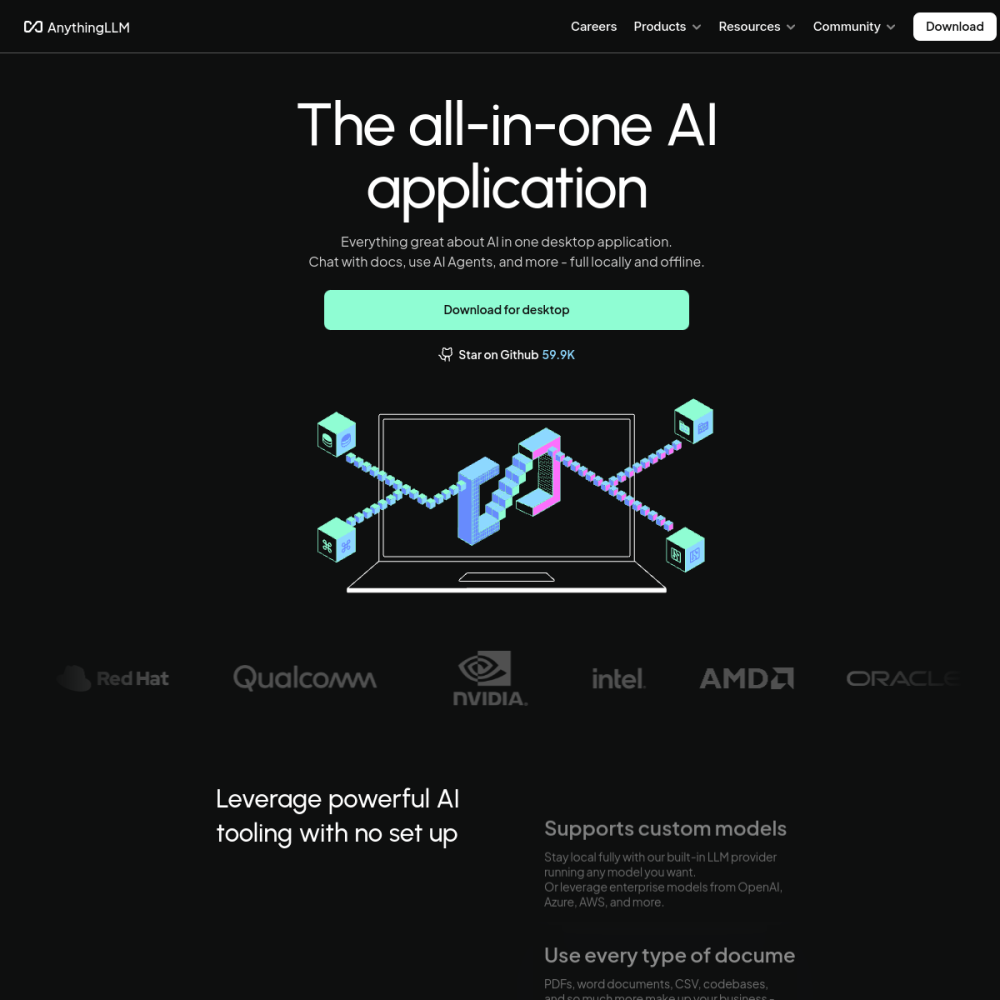
Screenshot of AnythingLLM website

// screenshot of anythingllm.com ↗

AI / LLM · PRO TIER

AnythingLLMpro

AnythingLLM is a full-stack RAG knowledge base with a built-in chat UI. Upload documents, websites, code repositories, audio files — and chat with them through any LLM (Ollama, OpenAI, Anthropic, etc.). Workspaces isolate different knowledge contexts; embedded vector storage handles retrieval; agents extend with tool use.

🤖 AI / LLM Min 2048 MB RAM Port 3001 (http) Tier pro
// What it is

A closer look.

AnythingLLM is a full-stack RAG knowledge base with a built-in chat UI. Upload documents, websites, code repositories, audio files — and chat with them through any LLM (Ollama, OpenAI, Anthropic, etc.). Workspaces isolate different knowledge contexts; embedded vector storage handles retrieval; agents extend with tool use.

It's the most polished "drop your docs in, get a chatbot out" experience in the self-hosted LLM space — used by teams who don't want to assemble RAG from individual components.

// Use cases

What it's for.

Concrete scenarios where teams pick AnythingLLM over the SaaS alternative.

Internal knowledge bases

ingest company docs, get instant Q&A chatbot for the team
Customer support RAG

train on product docs + support tickets, deflect tier-1 questions

Personal research

upload PDFs, papers, transcripts; chat with your library

Document compliance

search and reason over legal contracts, SOPs, regulations

Multi-tenant chatbots

separate workspaces for different clients / departments

// Who it's for

Built for these teams.

If your team profile matches one of these, AnythingLLM is a strong fit out of the box.

Profile A

Internal IT

giving non-technical teams instant access to company knowledge via chat

Profile B

Customer support teams

building self-service RAG on product docs and ticket archives

Profile C

Research teams

managing libraries of PDFs / papers with semantic search

Profile D

Legal & compliance

querying contract corpora and regulation libraries

Profile E

Agencies

building custom chatbots for clients on white-label infrastructure

// Differentiators

Why teams pick AnythingLLM.

When evaluating self-hosted options for this category, here are the dimensions on which AnythingLLM consistently lands above the alternatives.

  • Batteries-included — no need to wire vector DB + embeddings + LLM separately
  • Workspaces — multiple isolated knowledge contexts in one instance
  • Document loader breadth — PDF, DOCX, MP3, MP4, websites, GitHub repos, YouTube
  • Built-in agent framework — extend with custom tools beyond pure RAG
  • MIT license — clean for commercial / multi-tenant deployment
  • Mature UI — chat, citations, source previews built in
// Integrations

Connects to.

The stack you'll plug AnythingLLM into — services, protocols, and adjacent apps in the BluixApps catalog.

LLM backends
Ollama, OpenAI, Anthropic, Azure OpenAI, Mistral, Cohere, HuggingFace
Vector stores
built-in LanceDB; Qdrant / Chroma / Weaviate / Milvus / pgvector via config
Embeddings
OpenAI, Cohere, local sentence-transformers, AnythingLLM native embedder
Document loaders
PDF, DOCX, MP3 (Whisper), MP4, web scraping, GitHub repos
API + Embeddable widget
expose workspaces as REST API or embed as chatbot widget
Authentication
multi-user with role-based permissions
MCP support
extend with Model Context Protocol tools
// Adoption & deployment

Notable users & community

  • 30k+ GitHub stars
  • Featured in numerous "self-host your AI" guides
  • Active Discord with daily contributor activity
  • Backed by Mintplex Labs with sustainable open-core model
  • Weekly releases with public roadmap

What we ship

  • Docker compose: AnythingLLM server + persistent storage volume
  • Pinned mintplexlabs/anythingllm:latest (locked to release tag)
  • Auto-detection of Ollama / Qdrant on same VPS for zero-config setup
  • HTTPS via Let's Encrypt
  • Admin user with random password on first boot
  • API key auto-generated for programmatic access
  • Backup hook covers storage volume (workspaces + vectors)
// Tips & operations

Run it properly.

Operational guidance from running this in production — what to do before you scale, what to lock down, what surprises people.

// PERFORMANCE
Pair with Qdrant for scale
built-in LanceDB is fine for <10k docs; switch to Qdrant for larger collections
// SECURITY
Workspace isolation
each workspace = separate vector index; useful for multi-client deployments
// OPERATIONS
Document chunking matters
tune chunk size + overlap in settings before bulk-ingesting
// RELIABILITY
Watch embedding costs
bulk ingestion via OpenAI embeddings can run up bills fast; use local embedder for free
// DEPLOYMENT
Persist /app/server/storage
workspaces, documents, vectors all live here; mount volume from day one
// SCALING
Set up SMTP for invite emails
multi-user features break silently without it
2048
// min ram (MB)
10
// min disk (GB)
3001
// access port
http
// protocol
pro
// bluixapps tier
3001:3001 · 1000:1000 · mintplexlabs/anythingllm:master
// docker image

Project resources

Official siteanythingllm.com ↗
// Alternatives in AI / LLM

Compare with