CatalogStacksModulesSaaSMobileLabs → Become a partner
Home›Catalog›🤖 AI / LLM›Open WebUI
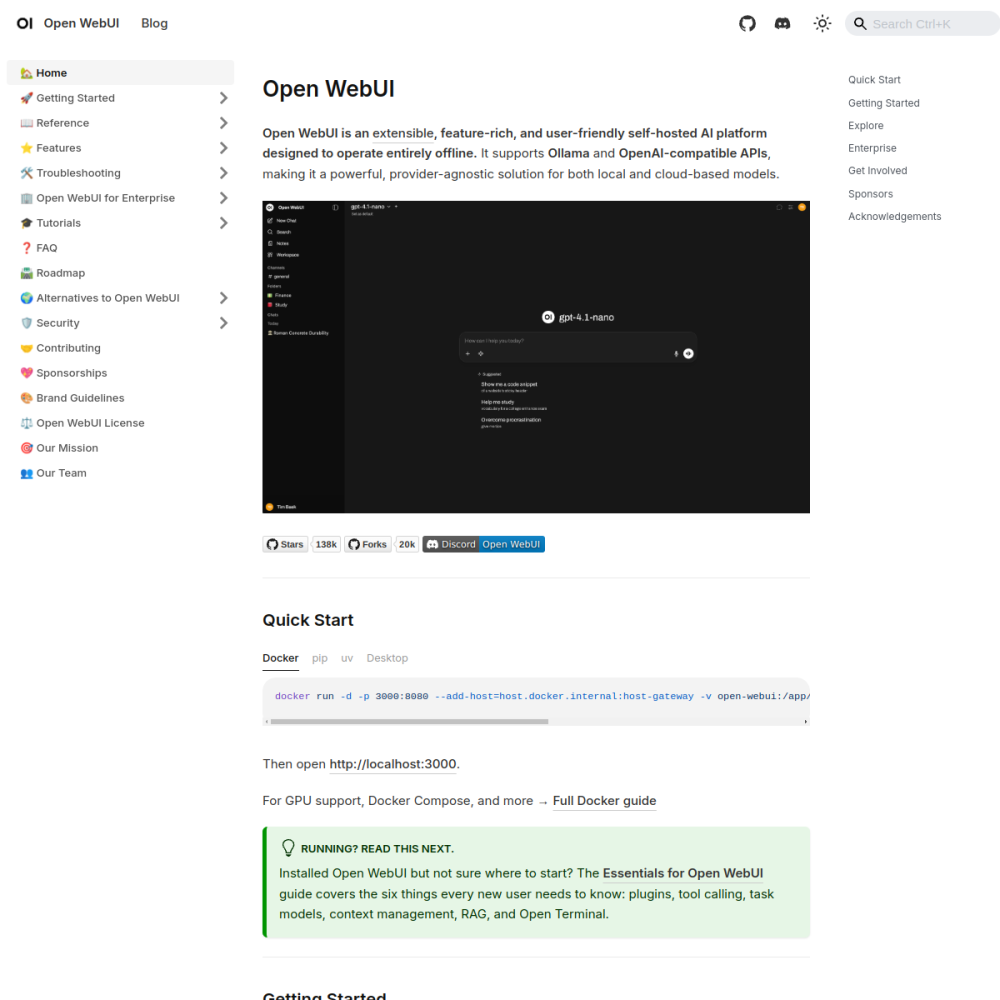
Screenshot of Open WebUI

// official site: docs.openwebui.com ↗

AI / LLM · PRO TIER

Open WebUIpro

Open WebUI is the most polished self-hosted ChatGPT-style interface for local LLMs. A React + Python webapp that wraps Ollama (or any OpenAI-compatible endpoint) with multi-user auth, conversation history, RAG document upload, tool calling, MCP server support, prompt library, and per-model controls — without any of the SaaS lock-in.

🤖 AI / LLM Min 4096 MB RAM Port 3000 (http) Tier pro
// What it is

A closer look.

Open WebUI is the most polished self-hosted ChatGPT-style interface for local LLMs. A React + Python webapp that wraps Ollama (or any OpenAI-compatible endpoint) with multi-user auth, conversation history, RAG document upload, tool calling, MCP server support, prompt library, and per-model controls — without any of the SaaS lock-in.

Originally built as Ollama WebUI, it has since become a full LLM operations frontend used by everyone from solo developers to mid-size enterprises running internal AI assistants.

// Use cases

What it's for.

Concrete scenarios where teams pick Open WebUI over the SaaS alternative.

◆

Internal company "ChatGPT"

one URL, SSO, conversation history per user
◈

RAG over your own docs

drag-and-drop PDFs, websites, code repos for instant context-aware chat

◇

Multi-model experimentation

compare Llama 3.3 vs Mistral vs Qwen side-by-side

▣

Prompt template library

share curated prompts across a team

▦

Agent / tool use

call functions, web search, code execution, MCP servers from the chat UI

// Who it's for

Built for these teams.

If your team profile matches one of these, Open WebUI is a strong fit out of the box.

Profile A

Internal IT teams

replacing ChatGPT Enterprise / Copilot with a self-hosted equivalent under their own SSO

Profile B

Privacy-bound orgs

government, finance, healthcare needing data residency for every LLM prompt

Profile C

Multi-team companies

wanting SSO + per-team workspaces + separate knowledge bases per department

Profile D

Power users

wanting prompt library + custom models + MCP tools in a single integrated UI

Profile E

Educators & training providers

giving AI access to students under GDPR/FERPA compliance, with per-class scoping

// Differentiators

Why teams pick Open WebUI.

When evaluating self-hosted options for this category, here are the dimensions on which Open WebUI consistently lands above the alternatives.

  • ✓Production-grade auth — OAuth, LDAP, SSO, per-user role/permission model
  • ✓MCP-native — first-class Model Context Protocol support for tool servers
  • ✓RAG built-in — vector store, document chunking, citation rendering out of the box
  • ✓Workspace knowledge bases — separate scopes per team
  • ✓Active development — weekly releases, ~40k+ GitHub stars, strong upstream
  • ✓Pluggable backend — works with Ollama, vLLM, LM Studio, OpenAI, Anthropic, any OpenAI-compatible server
// Integrations

Connects to.

The stack you'll plug Open WebUI into — services, protocols, and adjacent apps in the BluixApps catalog.

◇
LLM backends
Ollama, vLLM, LM Studio, OpenAI, Anthropic, any OpenAI-compatible endpoint
◈
MCP servers
Model Context Protocol tools (filesystem, web search, calculators, custom)
◆
Identity providers
Google, GitHub, Microsoft, generic OAuth, LDAP, SAML
▣
Vector stores
built-in Chroma; Qdrant / Weaviate / pgvector via VECTOR_DB env
▦
Audio transcription
Whisper integration for voice prompts and audio file Q&A
▩
Document loaders
PDF, DOCX, web URLs, code repositories ingested into RAG
▼
Pipelines framework
Python extension layer for custom logic between user and LLM
// Adoption & deployment

Notable users & community

  • 40k+ GitHub stars
  • Featured in numerous "self-host your AI stack" guides (LinuxServer.io, Awesome-Selfhosted)
  • Strong Discord + reddit/r/selfhosted presence; many corporate adopters using it as internal LLM gateway
  • Weekly release cadence with public roadmap on GitHub
  • Standard pairing with Ollama in self-hosted AI tutorials throughout 2024-2026

What we ship

  • Docker compose: Open WebUI app + Postgres (for auth + chat history) + Redis
  • Pre-wired to Ollama when both apps install on the same VPS — zero config needed
  • Pinned ghcr.io/open-webui/open-webui:main with semver tracking; we lock to a release tag
  • SSL automatic via Let's Encrypt
  • Admin user created with random password on first boot, surfaced in install report
  • Backup hook covers Postgres data + uploaded RAG documents
// Tips & operations

Run it properly.

Operational guidance from running this in production — what to lock down, what surprises people.

// PERFORMANCE
Disable signup after first admin
set ENABLE_SIGNUP=false once you've created the admin to prevent random accounts
// SECURITY
Persistent storage
chat history grows fast; mount /app/backend/data on a dedicated volume from day one
// OPERATIONS
Pre-download Whisper
first audio request triggers a model download that can stall the UI; bake it into the image
// RELIABILITY
Pipelines container needs its own port
typically 9099; reverse-proxy carefully or it leaks internal endpoints
// DEPLOYMENT
Vector store on Qdrant
for >10k documents, set VECTOR_DB=qdrant and point at the BluixApps Qdrant instance for scale
// SCALING
Rate-limit OpenAI fallback
set per-user quotas to prevent a single user running up your OpenAI bill
4096
// min ram (MB)
20
// min disk (GB)
3000
// access port
http
// protocol
pro
// bluixapps tier

Project resources

↑